Press & Media
Media Library
App screenshots for editorial use. All assets below are initial concept art representing the planned product design.
These assets are initial concept art produced during pre-launch development. They are representative of the planned product design and are provided for editorial and press use. Marksman's Cache is currently in private development — assets may change before commercial release.
App Screenshots — Initial Concept Art
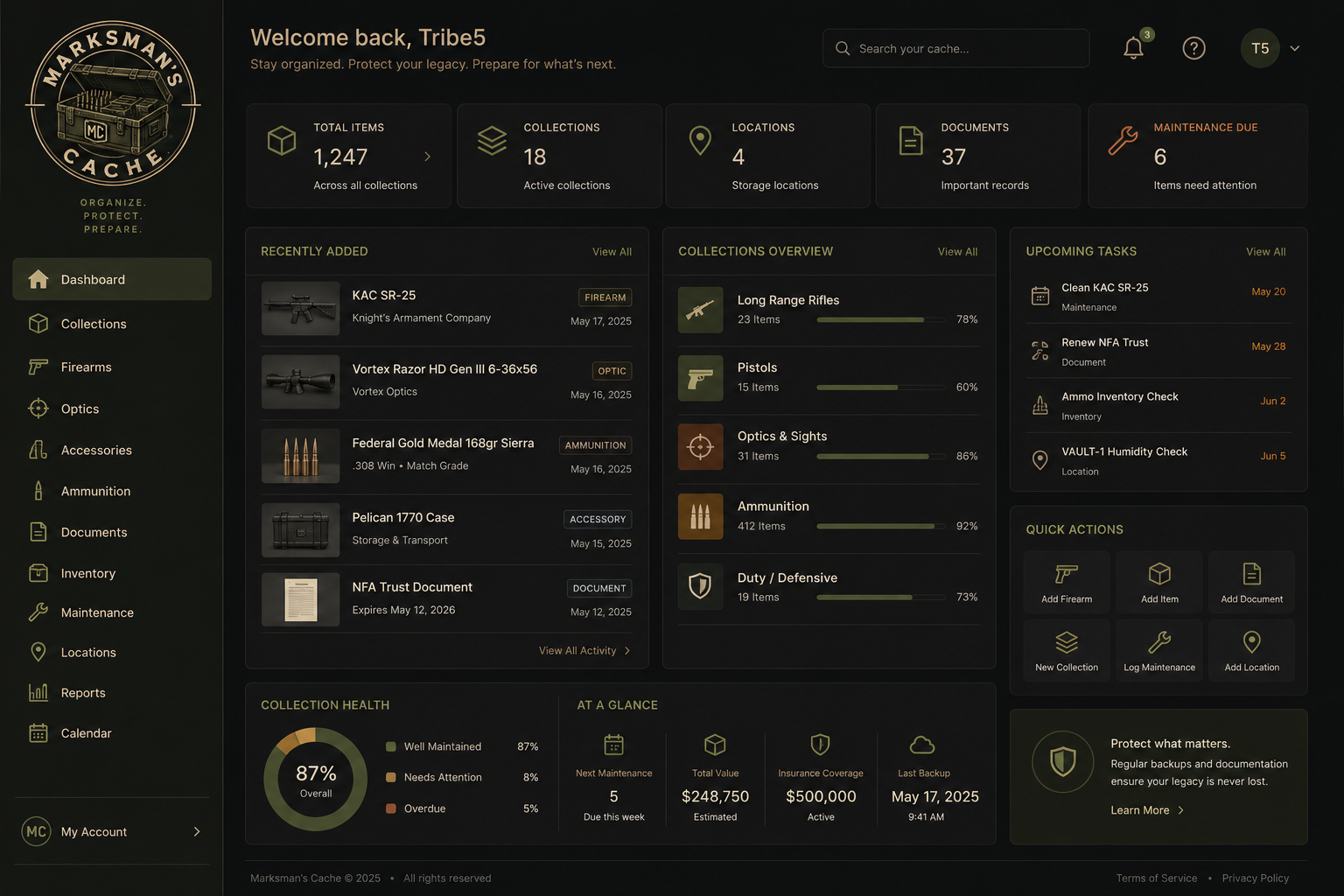
Dashboard Overview
Collection health, recent assets, upcoming maintenance, and value at a glance.
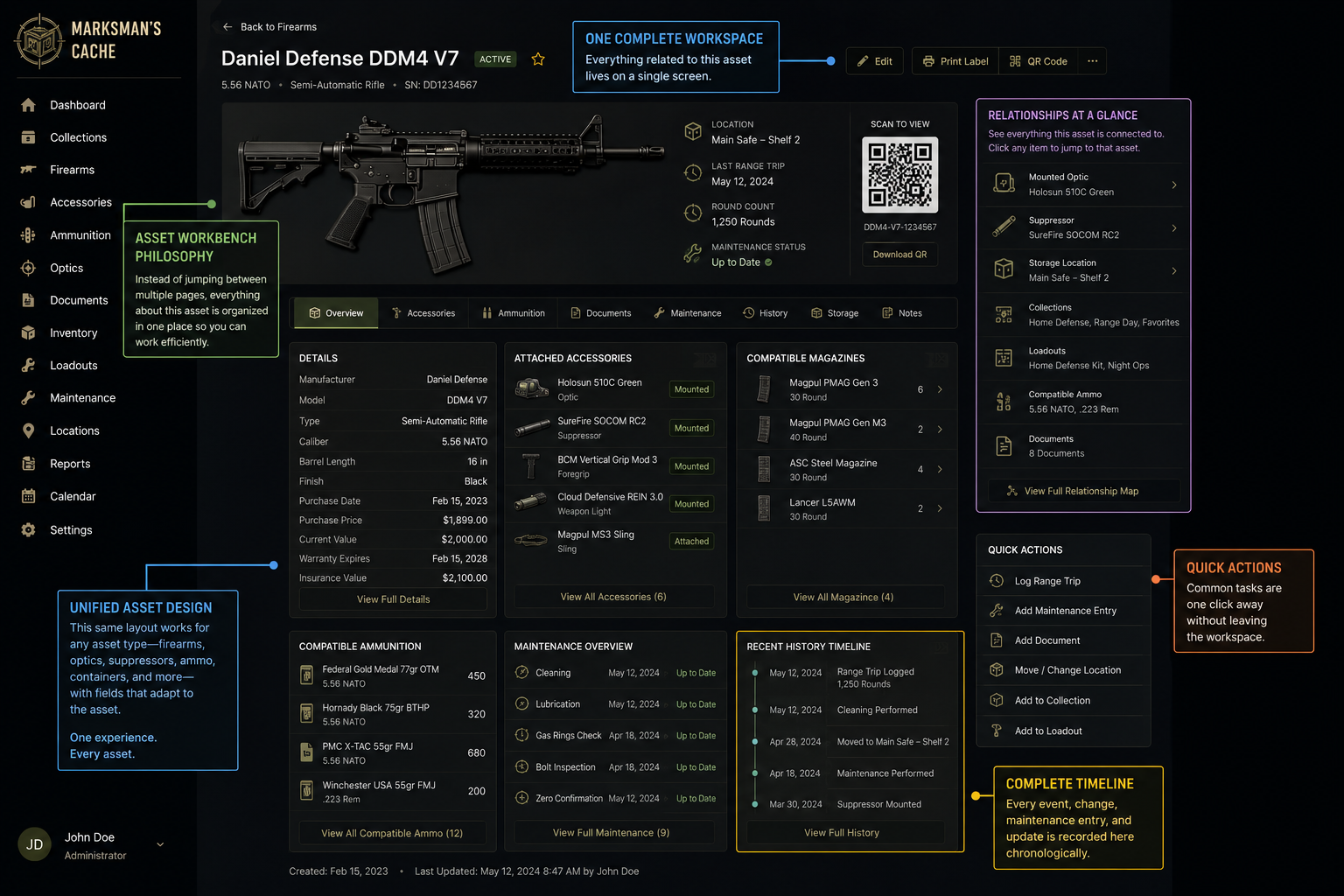
Asset Workbench
Complete history, attachments, documents, QR label, and maintenance for a single asset.
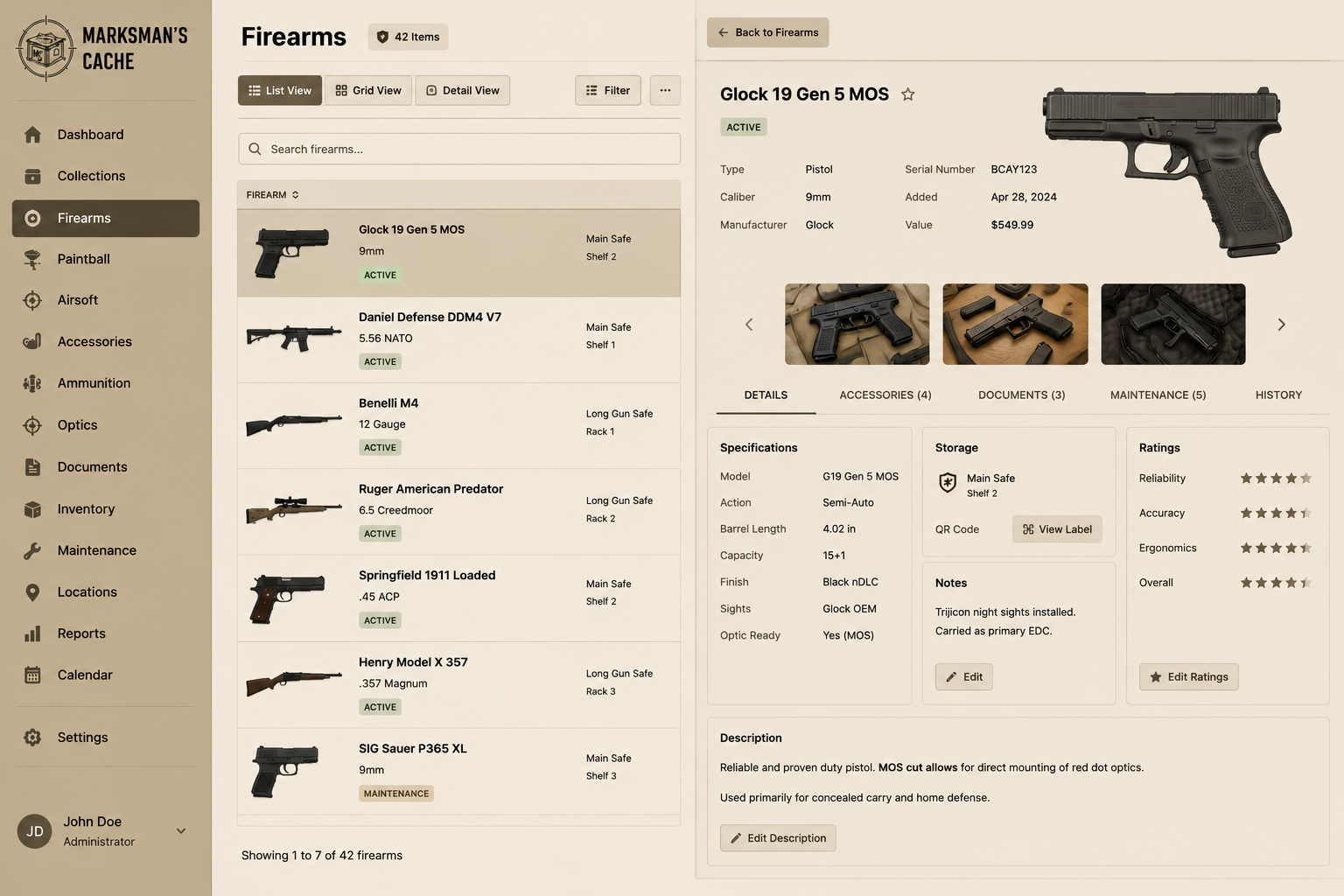
Firearms — Inspect View
Browse the firearms list with an inline detail panel.
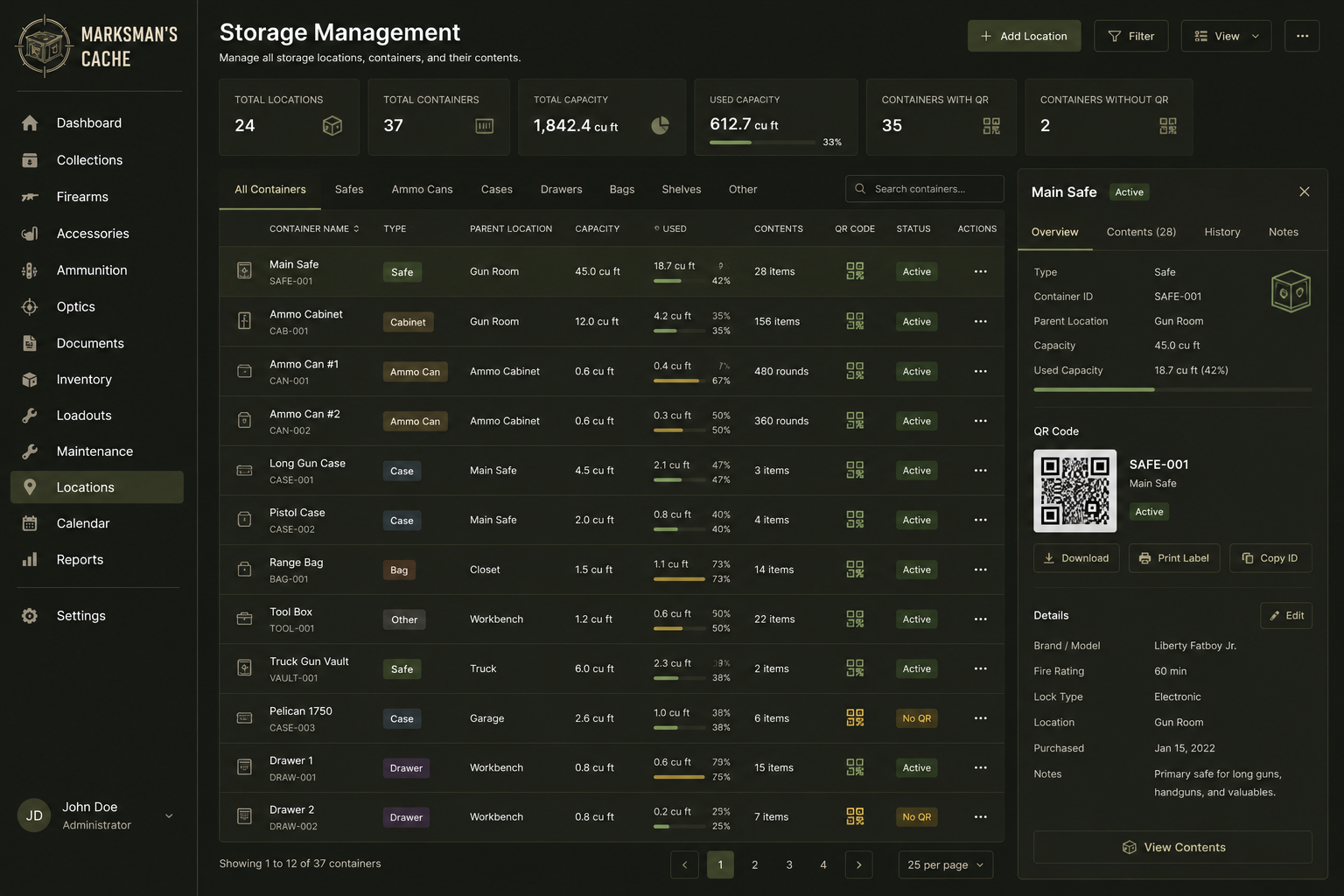
Storage Management & QR Labels
Storage containers with QR label generation and a live QR code preview.
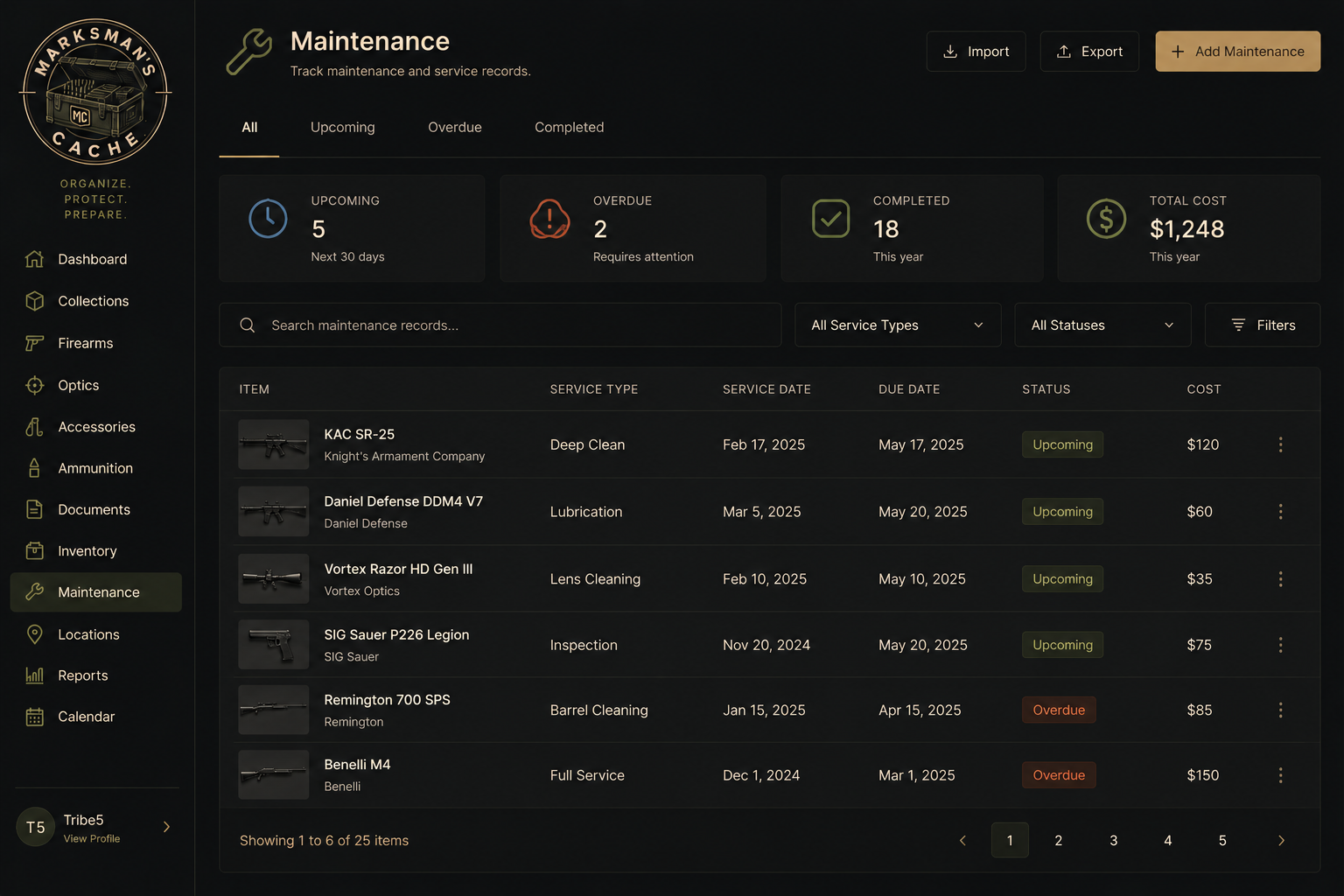
Maintenance Tracking
Upcoming, overdue, and completed maintenance records with cost tracking.
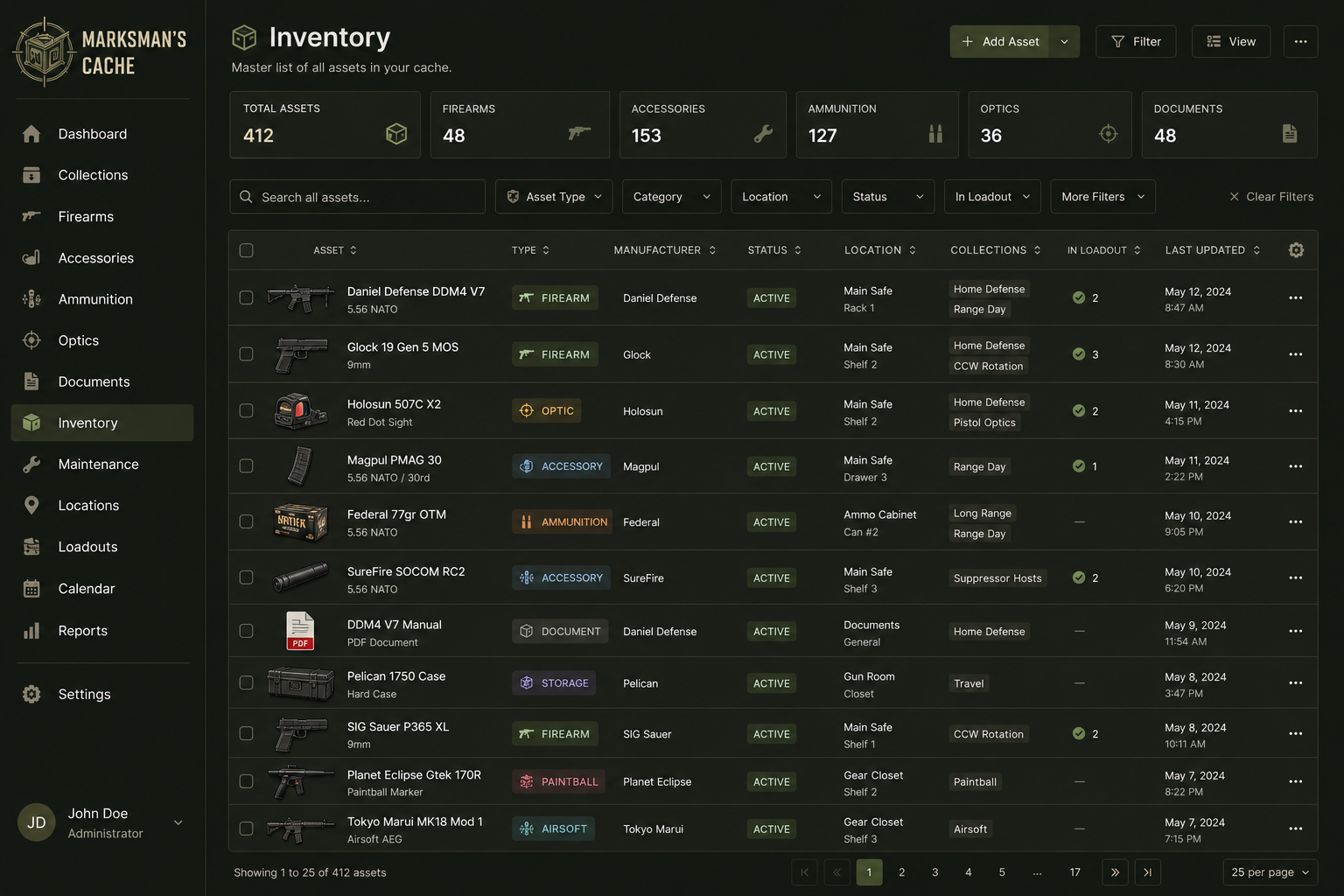
Inventory Overview
Top-level inventory navigation across firearms, ammunition, accessories, and storage.
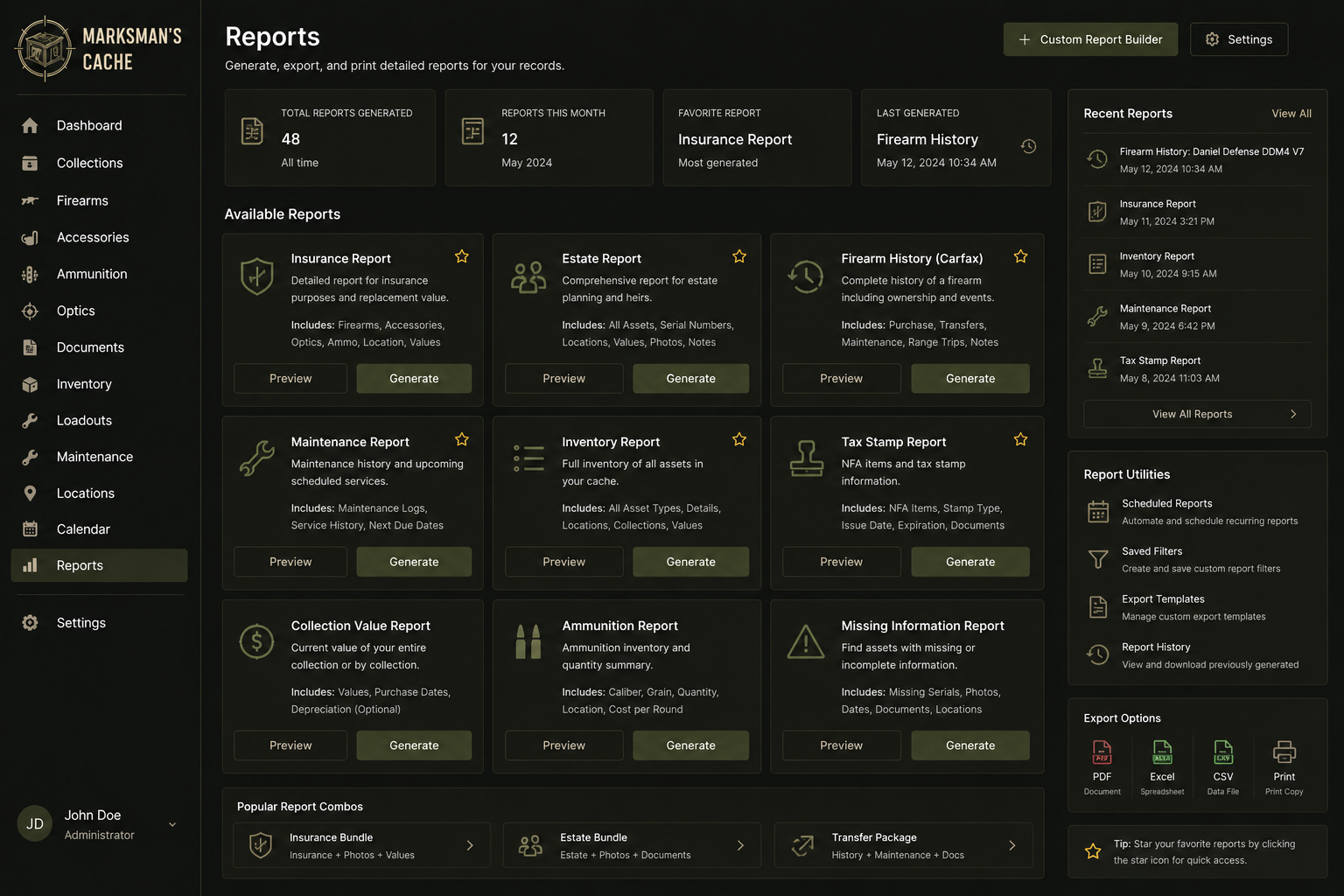
Reports
Generate insurance, Carfax-style history, inventory, and collection value reports.
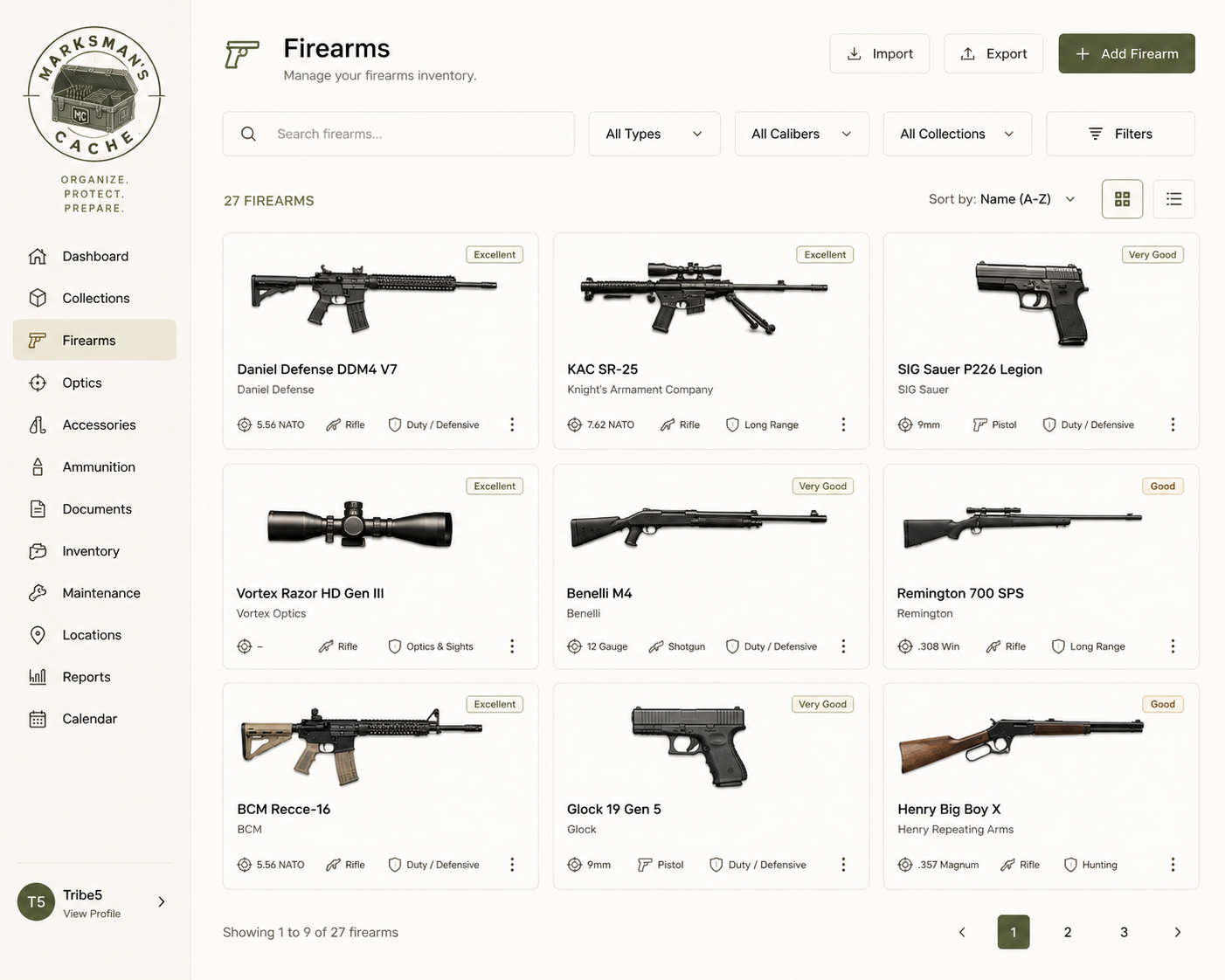
Firearms Grid — Light Theme
Card grid view of the firearms collection in the Light theme.
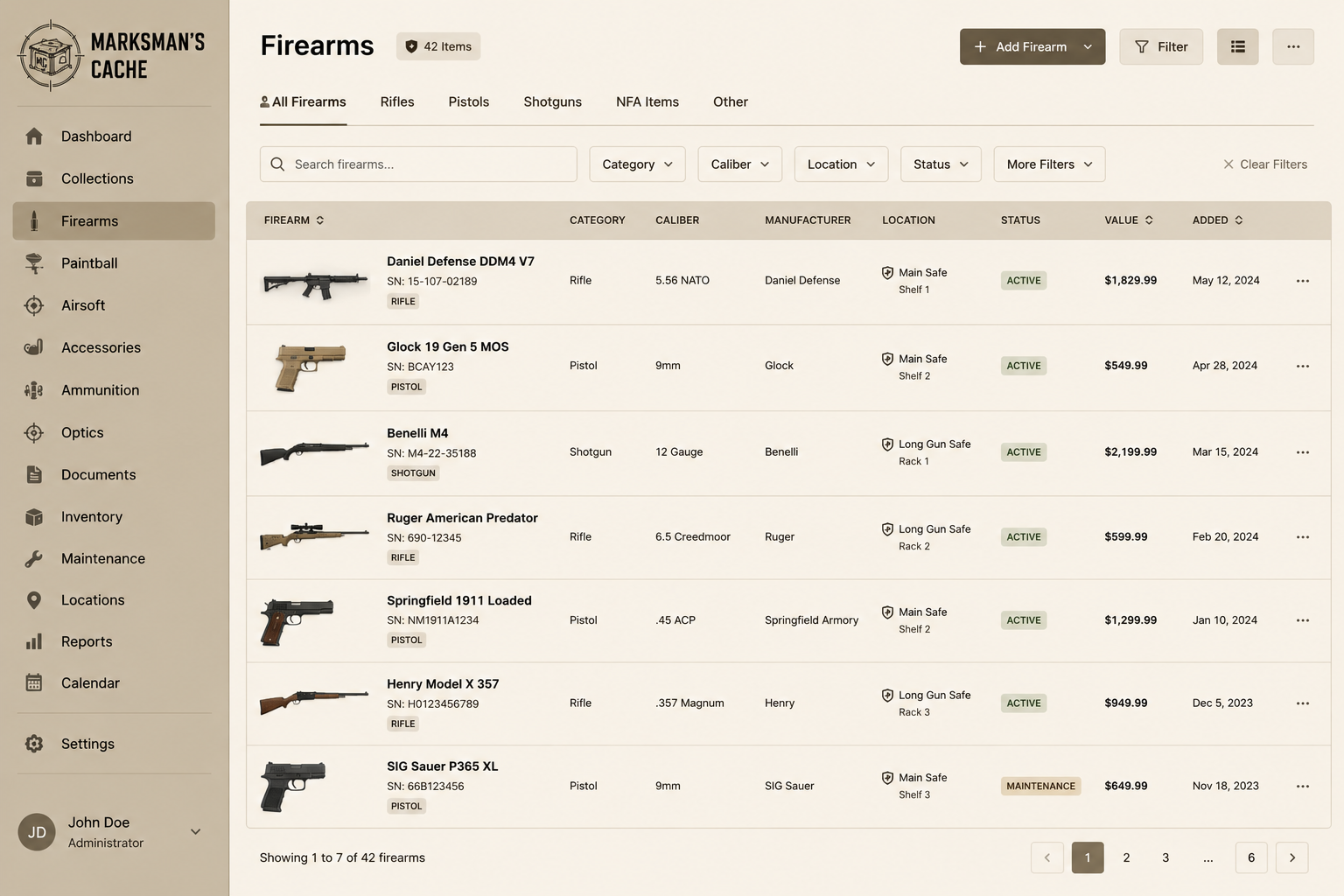
Firearms List — FDE Theme
List view of the firearms collection in the Flat Dark Earth theme.
Usage Guidelines
Assets in this library may be used for editorial coverage, reviews, and press mentions of Marksman's Cache.
Screenshots are initial concept art representing the planned design. Please label them as such in any editorial context where the pre-release status is not otherwise clear.
Do not use these assets to imply endorsement, partnership, or affiliation beyond coverage of Marksman's Cache itself.
Press inquiries: [email protected]